
Professional stage plot software
Design the plot. Visualize the DMX live. All on one screen.
N·PLOT connects your stage plot to the lighting console in real time: sACN and Art-Net, signal and power CAD, and live sync across every device on your team.
On another system? Download for macOSSee pricing
14 days free, no credit card. Windows and macOS (Apple Silicon and Intel). iPad, coming soon to the App Store.
Without N·PLOT
- The plot lives in a PDF and the DMX values on the console. They're never seen together.
- Every patch change has to be replicated by hand in the venue document.
- If the designer and the operator aren't in front of the same screen, someone's working blind.
With N·PLOT
- The plot and the live DMX values share the same screen, always in sync.
- The patch is drawn once and stays connected to the real console.
- One device edits as master and the rest of the team sees changes instantly, on the same network.
Everything a live lighting design needs
Universal real-time DMX visualization
Every fixture on the plot shows intensity, color and CCT live, with sACN and Art-Net at the same time and automatic protocol detection. A library of 180+ real-brand fixtures, ready to use.
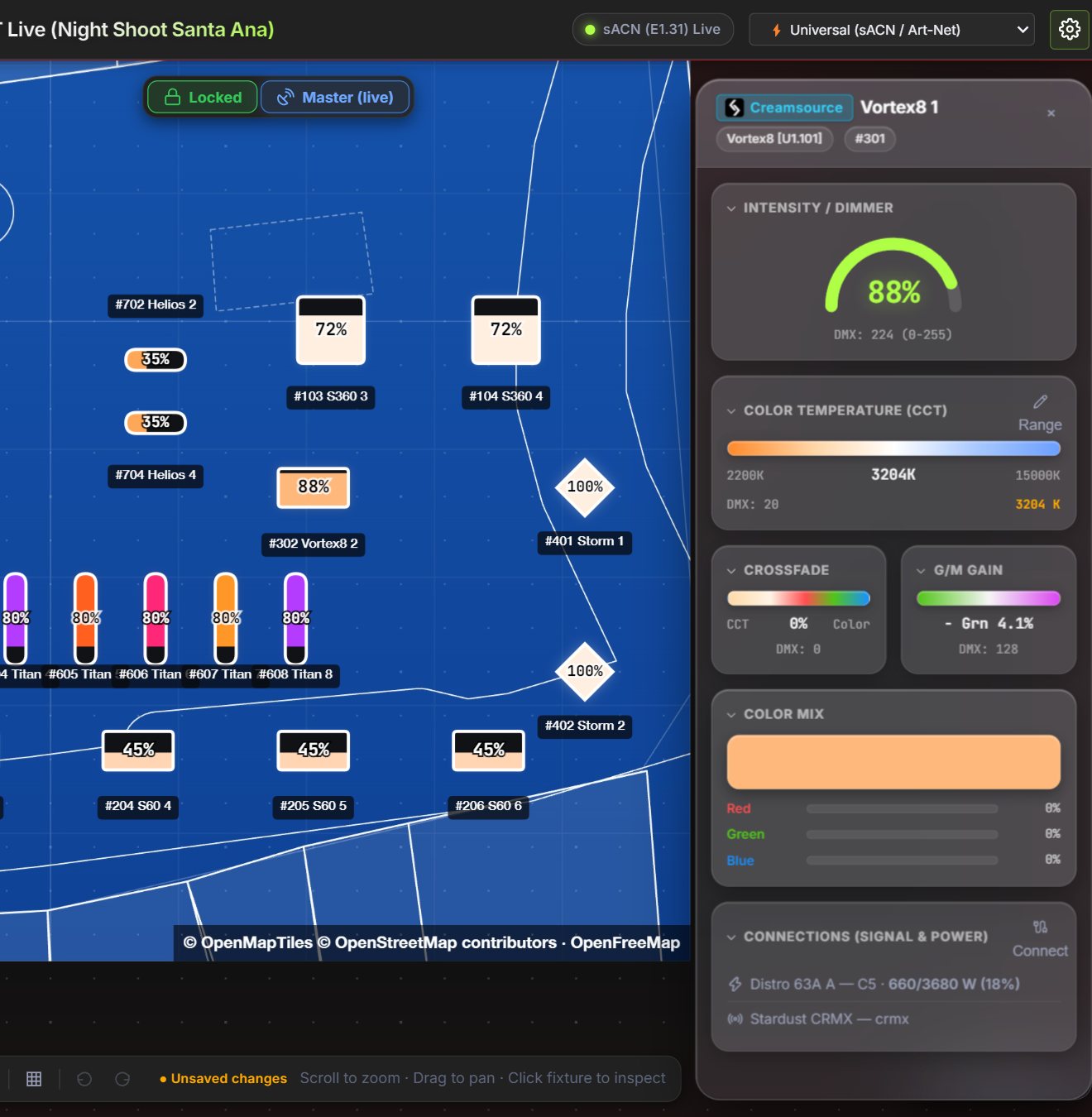
Signal and power on the same plot
Gensets, distros, nodes and CRMX transmitters wired to each fixture, with its circuit or universe. N·PLOT warns when a circuit is overloaded and works out the rig's power lines.
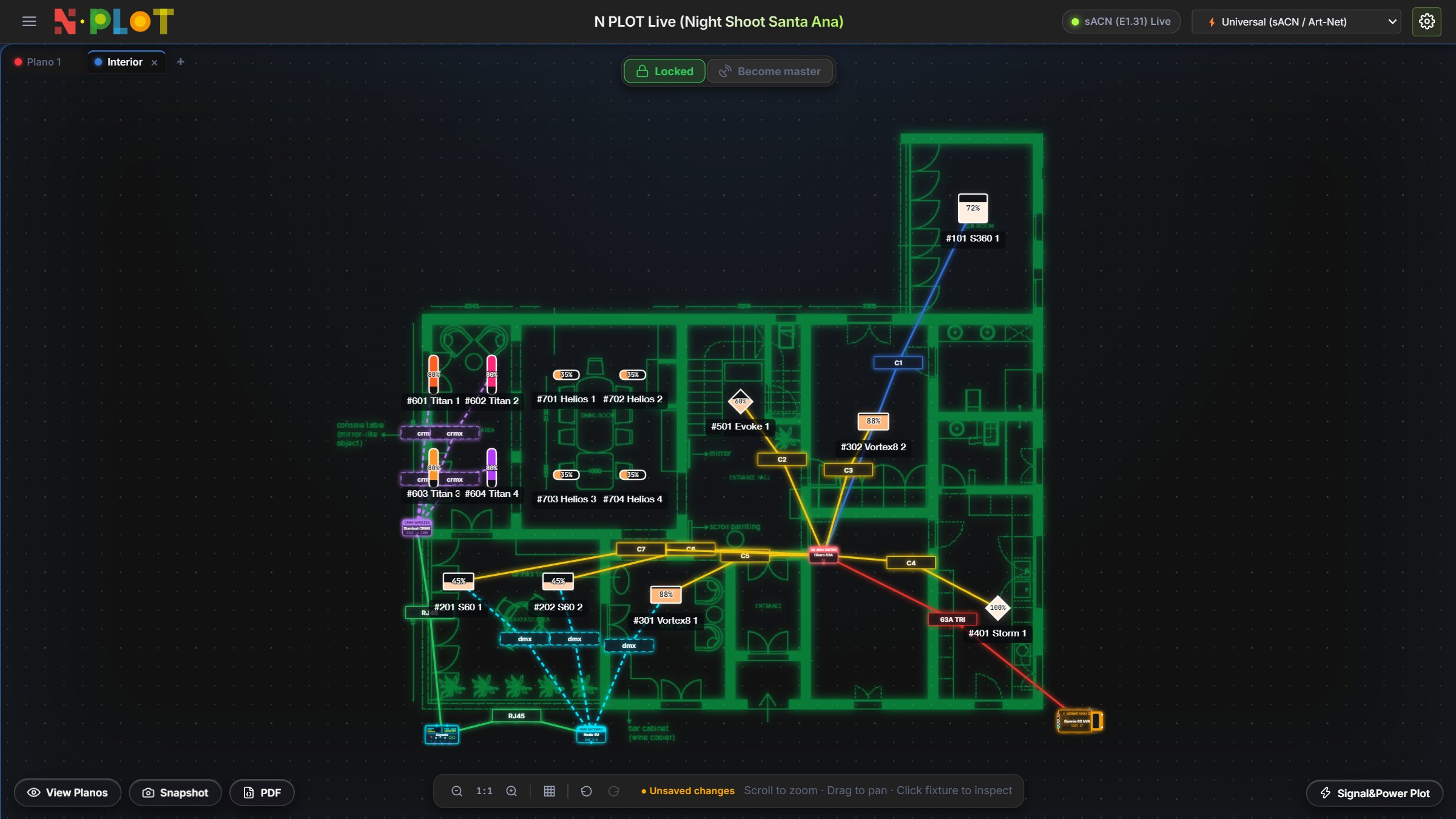
Your technical plan, in neon
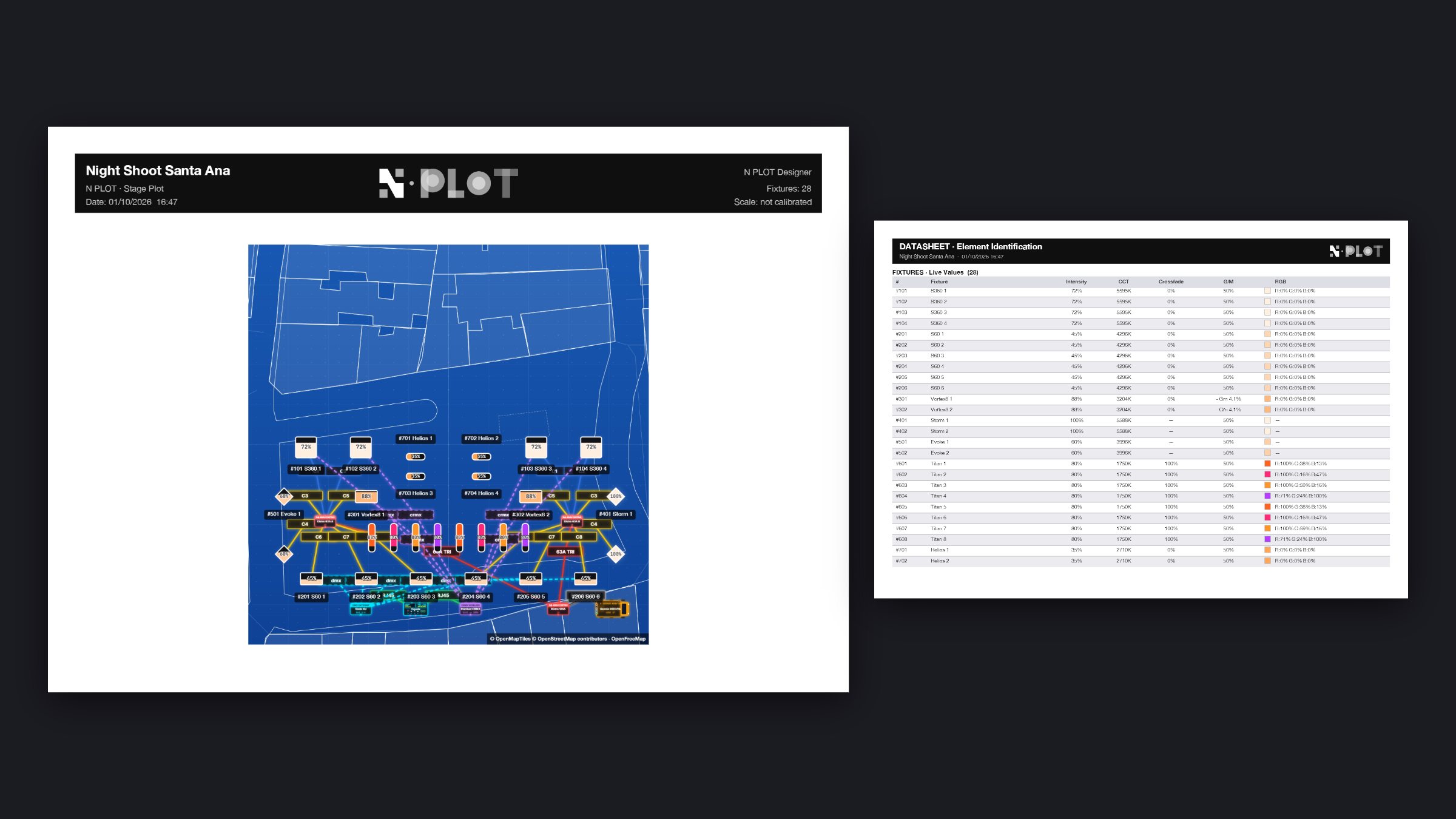
Import the plan from AutoCAD, Vectorworks or a PDF and N·PLOT turns it into neon lines on a transparent background. Fixtures and cabling read clearly on top, one tab per plan.
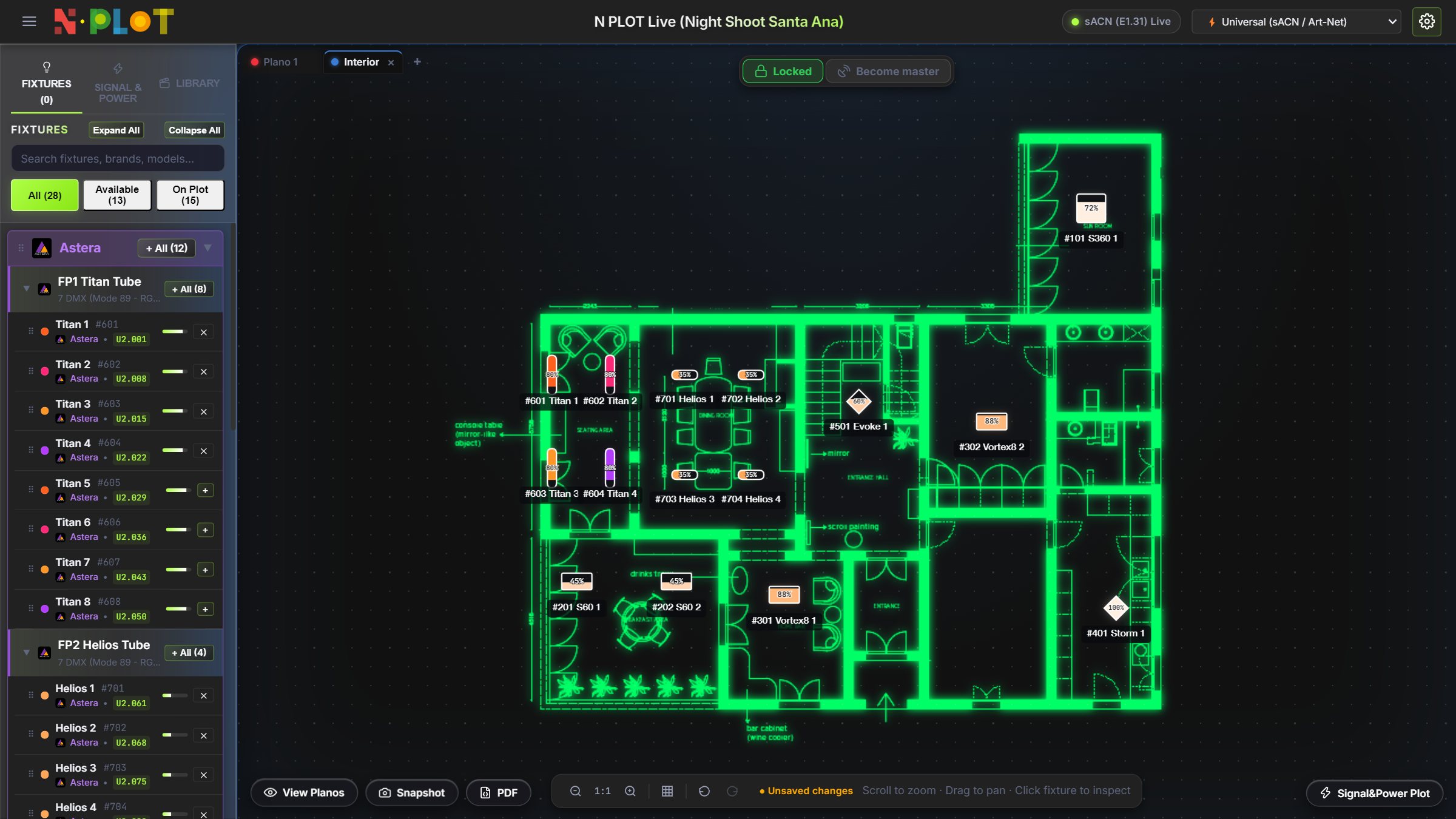
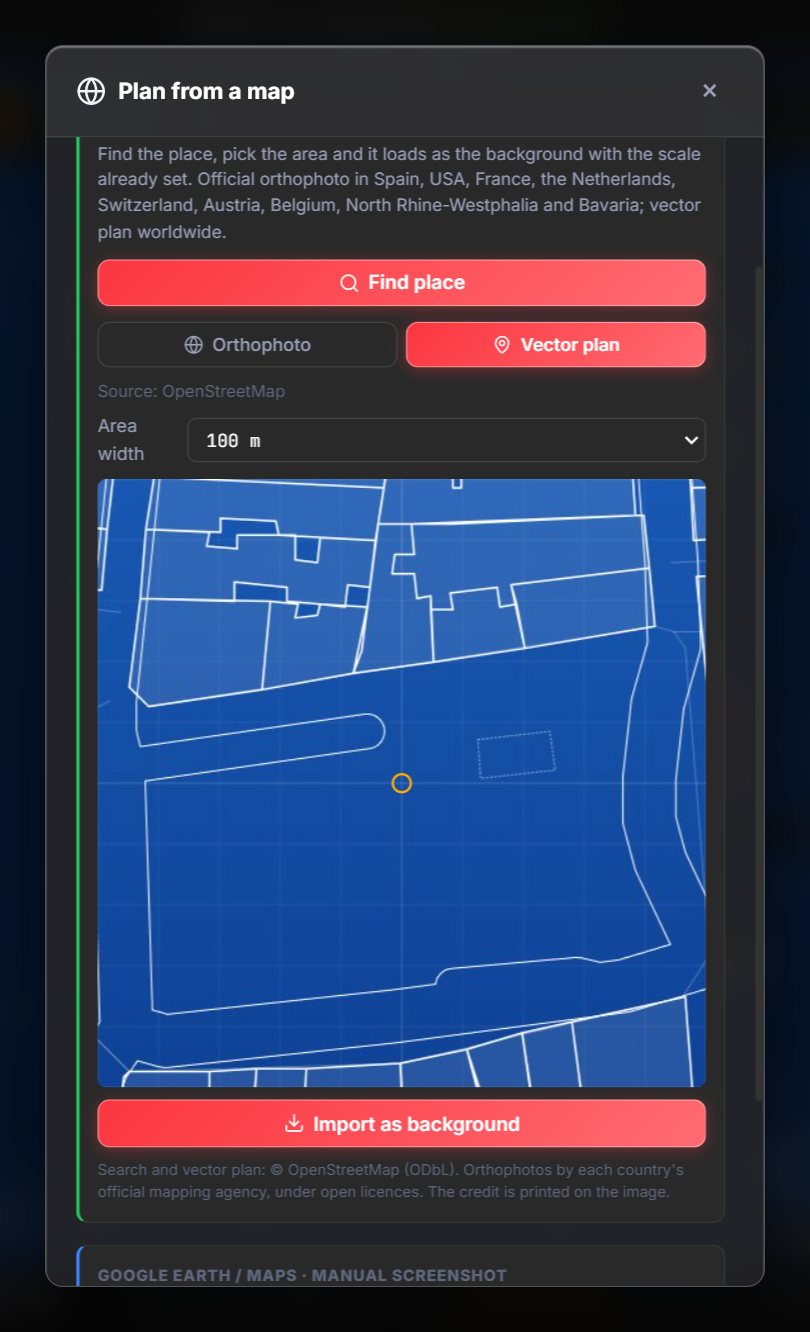
The location plan, in seconds
Search an address and N·PLOT builds a vector plan of the street or square, or the official orthophoto in Spain and other countries, already to scale for real cable lengths.
A PDF ready for the crew
Plot with title block, a datasheet of live values, signal and power tables and cable lengths, in one click.
iPads and phones in the same session
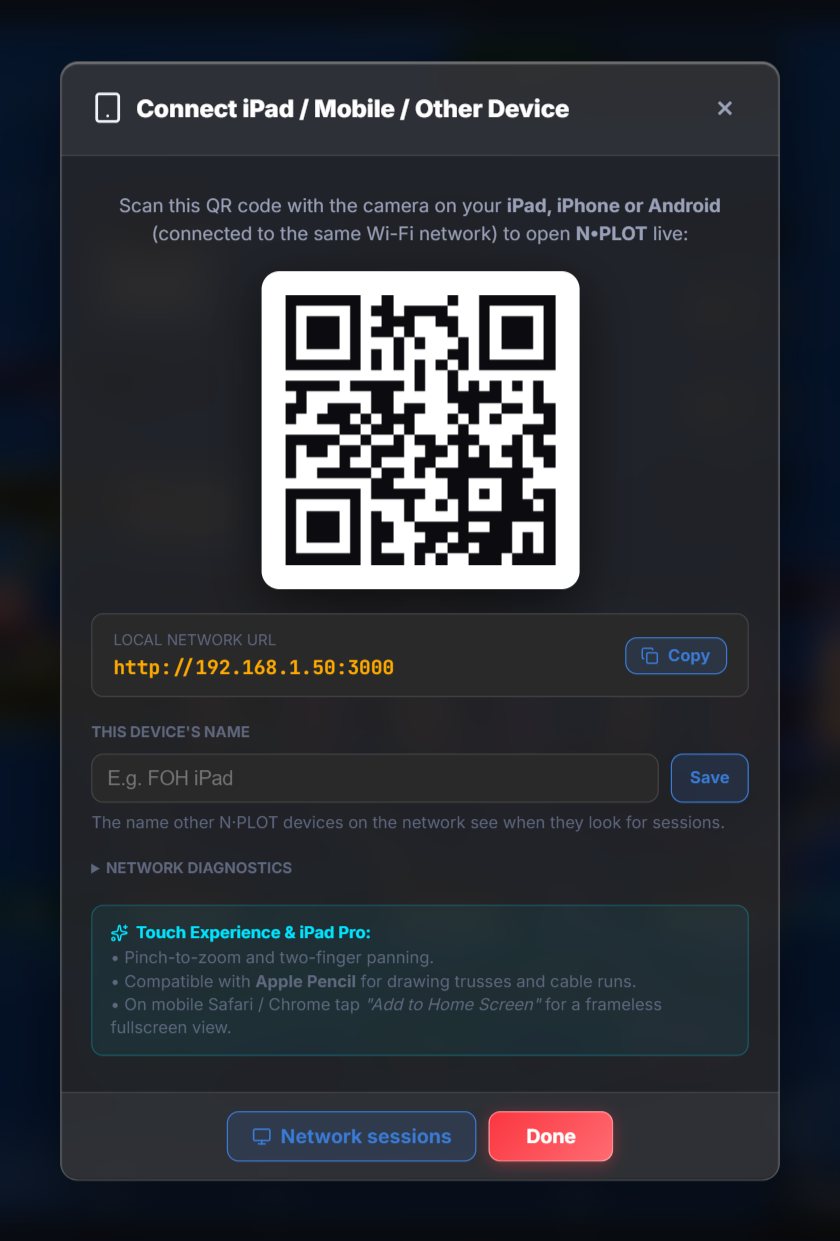
Scan the QR code from another device on the same network to follow the plot live. Whoever claims the master role edits, and their changes reach everyone else instantly.
And also
- Full plot editor
- Shapes, text, node editing, alignment and grouping, built to move fast during load-in.
- Multi-console
- Master console filter to work with several sACN or Art-Net sources on the same network without crossing data.
- Undo and redo
- Every edit to fixtures, shapes or background stays in history. Nothing breaks beyond repair mid-show.
How it works
Install N·PLOT
A single installer for Windows or macOS. The app runs a local server that connects to the lighting console on the same network.
Draw or import the plot
Start from scratch or import an existing PDF as a background, and patch your fixtures over it.
Connect the console
sACN or Art-Net, auto-detected. Live values appear over every fixture on the plot.
Bring in the team
Anyone on the same network sees the live plot. Whoever edits claims the master role and everyone else follows in real time.
Pricing
14-day free trial, no card required. Cancel anytime.
Trial
Free
14 days
- Full N·PLOT Pro Studio
- No credit card
- At expiry: read-only mode
Pro Studio Recommended
€19/mo
or €190/yr (2 months free)
- 2 seats (Desktop + iPad or tablet)
- 1 extra seat (+€9/mo), max. 3
- Real-time DMX visualization
- Signal and power CAD
Master Suite
€499
one-time payment, lifetime
- 2 seats included
- No recurring charges
- Everything in Pro Studio
For teams
N·PLOT Team
€29/seat/mo
billed annually, 5-seat minimum
- From 5 seats, you choose how many at checkout
- The whole team in the same live session (same network)
- One annual invoice for the whole team
- Priority email support: reply within 1 business day
Enterprise and Touring
Custom
unlimited seats
- 24/7 support and SLA
- Dedicated onboarding
- Direct contract and invoicing
Your license, on any device. Buy on the web and activate your license with your key wherever you need it, with no app store fees hidden in the price.
Frequently asked questions
Something else? Write to hola@nplotapp.com.
Does it work with my lighting console?
If your console sends sACN (E1.31) or Art-Net, yes. N·PLOT auto-detects the protocol and supports unlimited universes, with a master console filter for networks with multiple sources.
What happens when the 14-day trial ends?
The app doesn't lock or uninstall itself: it switches to read-only mode. You can keep opening and viewing your saved plots; to edit again or connect the console live, you activate a license with your key.
Can I use the same license on two devices at once?
No. Pro Studio includes 2 seats (for example Desktop + iPad) so the app is ready on both, but it's used from one at a time: a single live session per license, even on different networks, and within a session the license joins from a single device. For several people in the same session, Team: one device per seat.
Is there a version for Mac, iPad or Android?
Windows and macOS are available today. The iPad app is coming soon to the App Store, with Android later. It will be free: you sign in with the license you already bought on the web, with no in-app purchases.
How does live sync across devices work?
Anyone connected to the same network can claim the master role: their changes to the plot (moving fixtures, shapes, background) reflect instantly on everyone else, who stay in view-only mode until they claim the role themselves. Each user joins from a single device (on Team, one per seat); if their license is already in the session, the new device waits outside until the other leaves.
Do I need internet to use N·PLOT at the venue?
Not for the essentials: the plot, the patch and the connection to the console all run entirely on the venue's local network. Internet is only needed to activate the license the first time.
Bring your next show to N·PLOT
14 days free, no credit card.
On another system? Download for macOS